KKL

The system behind every
KKL call for proposals.

KKL’s teams define each call - its requirements, documents, budget rules and evaluation process. Applicants use the same system to understand what’s required and submit their proposal.
I designed both experiences as one connected process, making a complex workflow easier to manage and easier to follow.

Role
Product Designer - UX/UI
Timeline
2026, agile sprints
Platform
Complex system · B2B
Client
KKL-JNF
Tools
Figma
KKL platform: the call-for-proposals dashboard
01 / Overview

One process, from call to contract

KKL-JNF manages public calls that support environmental and community projects. Each call brings together applicants, internal teams, reviewers and committees through a structured process- from defining the requirements and receiving proposals to evaluation, approval and contract.

I designed the UX/UI for the full platform as part of a team at Comrax, connecting the different users and stages into one clear process.

One lifecycle
Build the call Publish Submit Review & score Committee & legal Contract
KKL team (Backstage)Applicants (Onstage)
02 / The problem

A complex process managed across disconnected tools

Before the new platform, much of the ‘call for proposals’ process relied on manual work across documents, emails and separate workflows. Information had to move between teams and applicants, making it harder to keep requirements, submissions and reviews aligned.

  1. 01

    Too much manual work

    Setting up and managing each call required repeated work across different stages and teams.

  2. 02

    Two sides that needed to stay aligned

    KKL’s requirements had to match exactly what applicants submitted.

  3. 03

    Limited visibility across the process

    With many stages, users and decisions involved, it was difficult to maintain a clear view of status, progress and history.

03 / The core idea

What KKL defines becomes the applicant’s experience

The call is built once by KKL’s team. From there, the system uses those definitions to create the relevant submission process. Including fields, documents, eligibility rules, budgets and evaluation criteria.

KKL team (Backstage) Applicants (Onstage)

Form structure & fields

Build the submission flow in stages, define the fields applicants need to complete, and decide what is required for each call.

A submission that adapts to the call

Applicants move through a guided form based on the structure and requirements defined specifically for that call.

Eligibility & entity types

Define who can apply, from municipalities and NGOs to companies, and the requirements they need to meet.

Clear eligibility from the start

Applicants see the relevant threshold conditions and requirements before moving through the submission process.

Budget & funding rules

Set the funding model, limits and participation percentage, including different rules for different types of calls and applicants.

Budget checks while filling the form

Funding amounts are validated against the call’s limits and funding percentage, helping identify issues before submission.

Documents by entity type

Define the documents each type of organization needs to provide, so requirements can change according to who is applying.

Only the documents that apply

The required-document list adapts to the applicant’s legal entity type and other choices made during the submission.

Quality & scoring criteria

Build the evaluation model in advance, including criteria, sub-criteria, weights and the data used for scoring.

Ready for the next stage

The information submitted by applicants is structured around the same rules and criteria KKL uses later in the process.

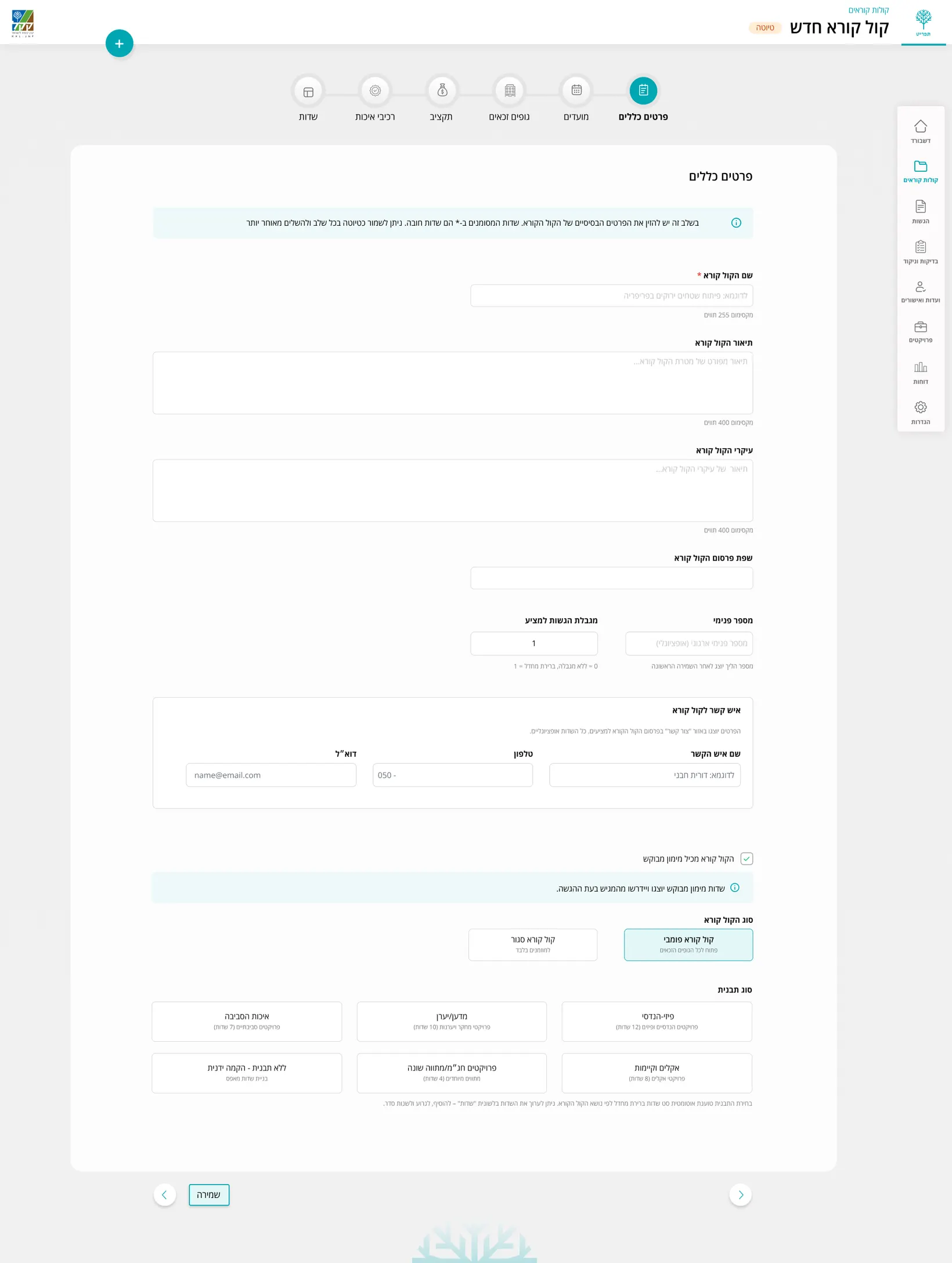
Backstage: call builder, general details tab
Backstage. Call builder - details, stages, budget and quality.
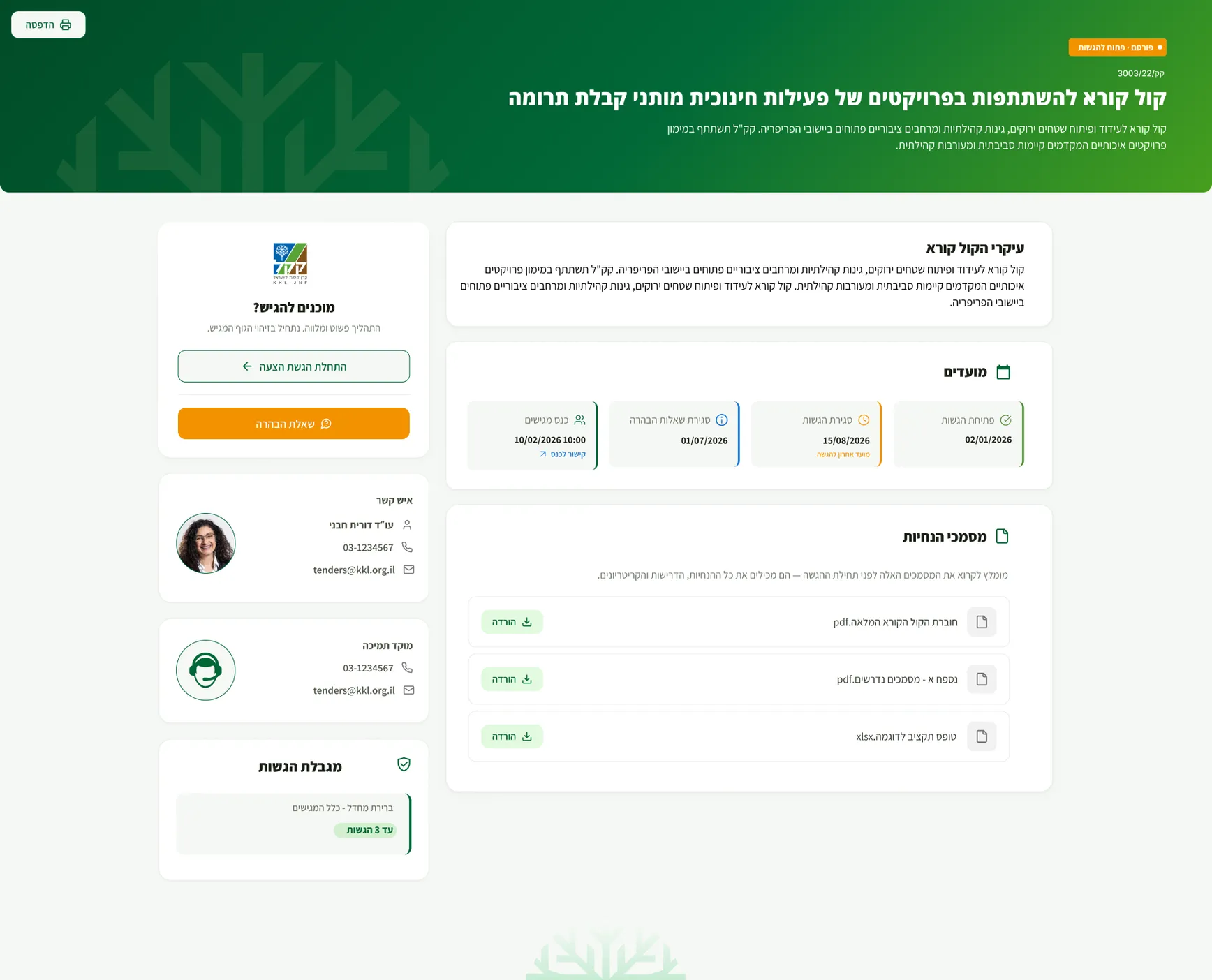
Onstage: the same call rendered as the applicant's guided submission
Onstage. Applicant view : guided submission flow.
04 / Research

Understanding the process before
designing it

Before designing the platform, I needed to understand how KKL’s calls actually work. The rules, users, documents, budgets and decisions that shape the process.

  • Stakeholder interviews
  • Requirements & documents
  • Existing process review
  • User flow mapping
  • Entity & document mapping
  • Ongoing working sessions

Key insights

  1. 01

    The rules change. The process stays consistent.

    Each call can have different fields, documents, budgets and scoring criteria, but they all follow the same overall lifecycle.

  2. 02

    Who is applying changes what they need to provide.

    The applicant’s entity type affects the documents and requirements they see throughout the submission.

  3. 03

    Complex processes need clear guidance.

    With multiple stages, requirements and deadlines, the experience needed to make it clear what is required, what has been completed and what comes next.

05 / AI‑assisted process

Using AI to support the design process

The project involved a large amount of documentation, requirements and complex business logic. I used AI throughout the process to organize information, explore directions and speed up repetitive work, while keeping the UX decisions, priorities and final design choices in my hands.

  • Research synthesis
  • Document summaries
  • Requirement analysis
  • Ideation
  • Microcopy exploration
  • User stories
  • Flow & logic review
  • UX documentation
06 / Final design

One system, designed for two different experiences

The platform serves two very different users. Applicants need a clear, guided experience that makes a complex submission easier to complete. KKL teams need information-rich screens that help them manage calls, submissions and decisions efficiently.

Both sides share the same system and logic, but each interface is designed around the work its users need to do.

Onstage — the applicant's journey

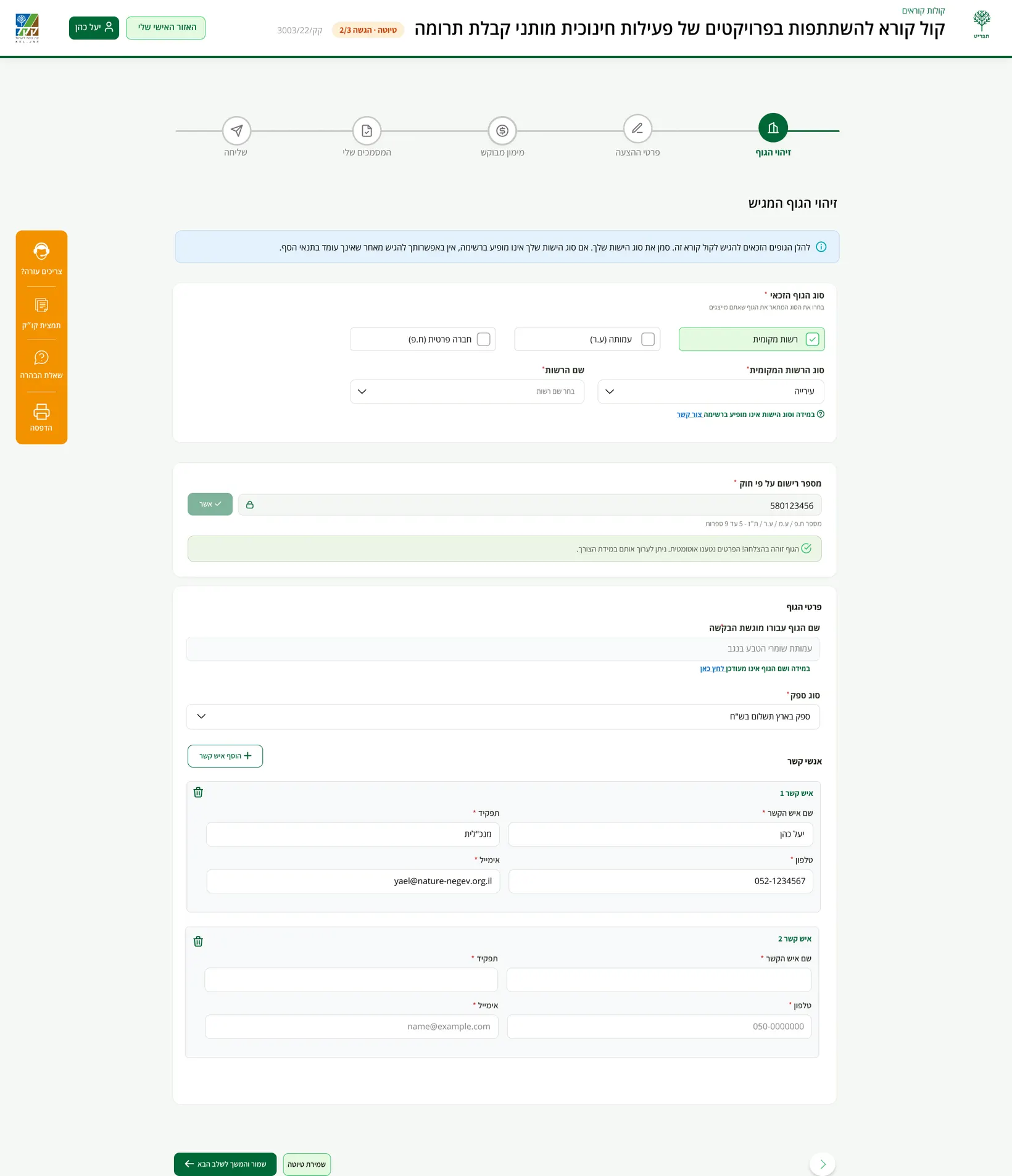
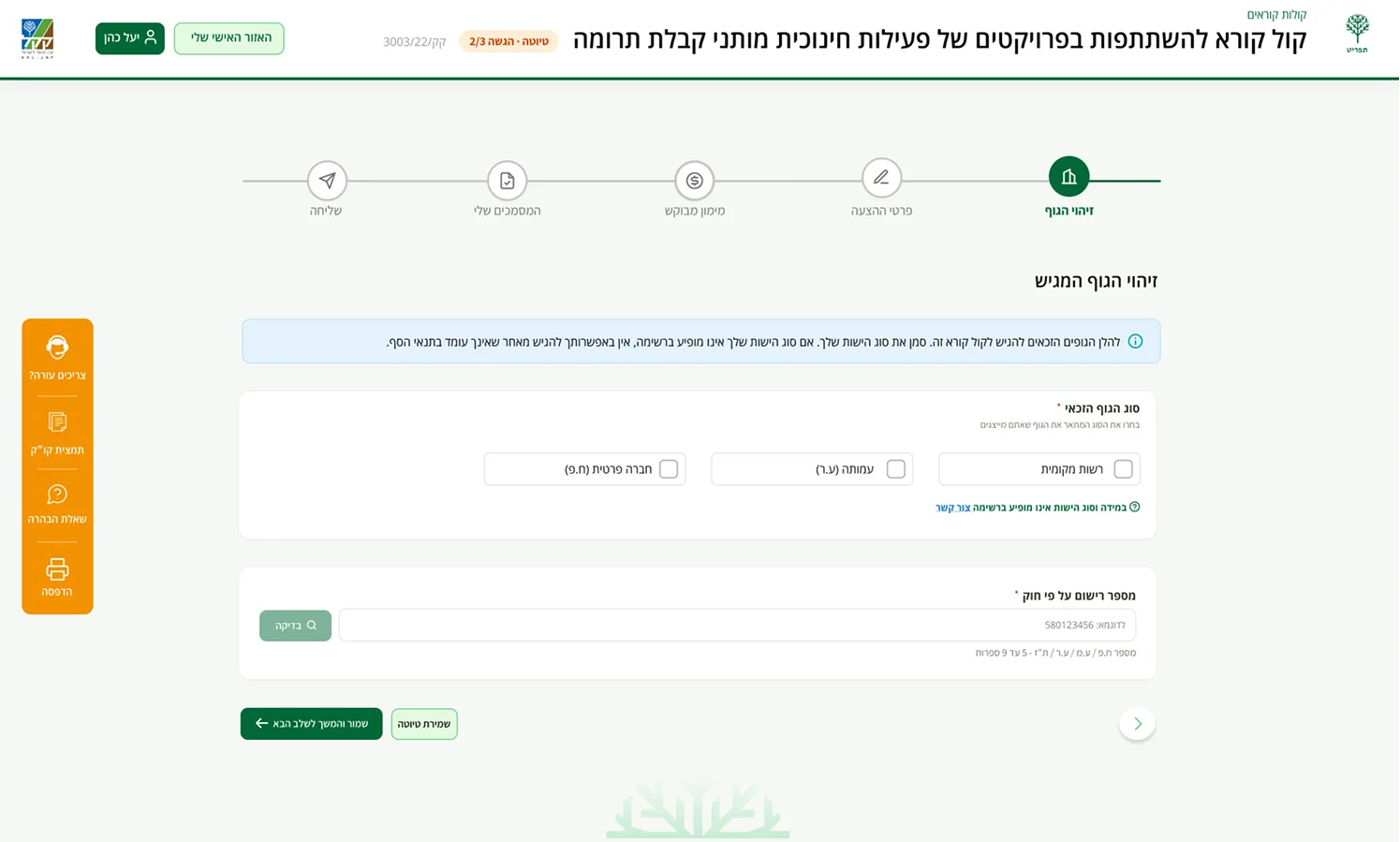
Entity identification: type and legal registration number
Entity identification - Applicant details are verified and used to shape the relevant submission flow.
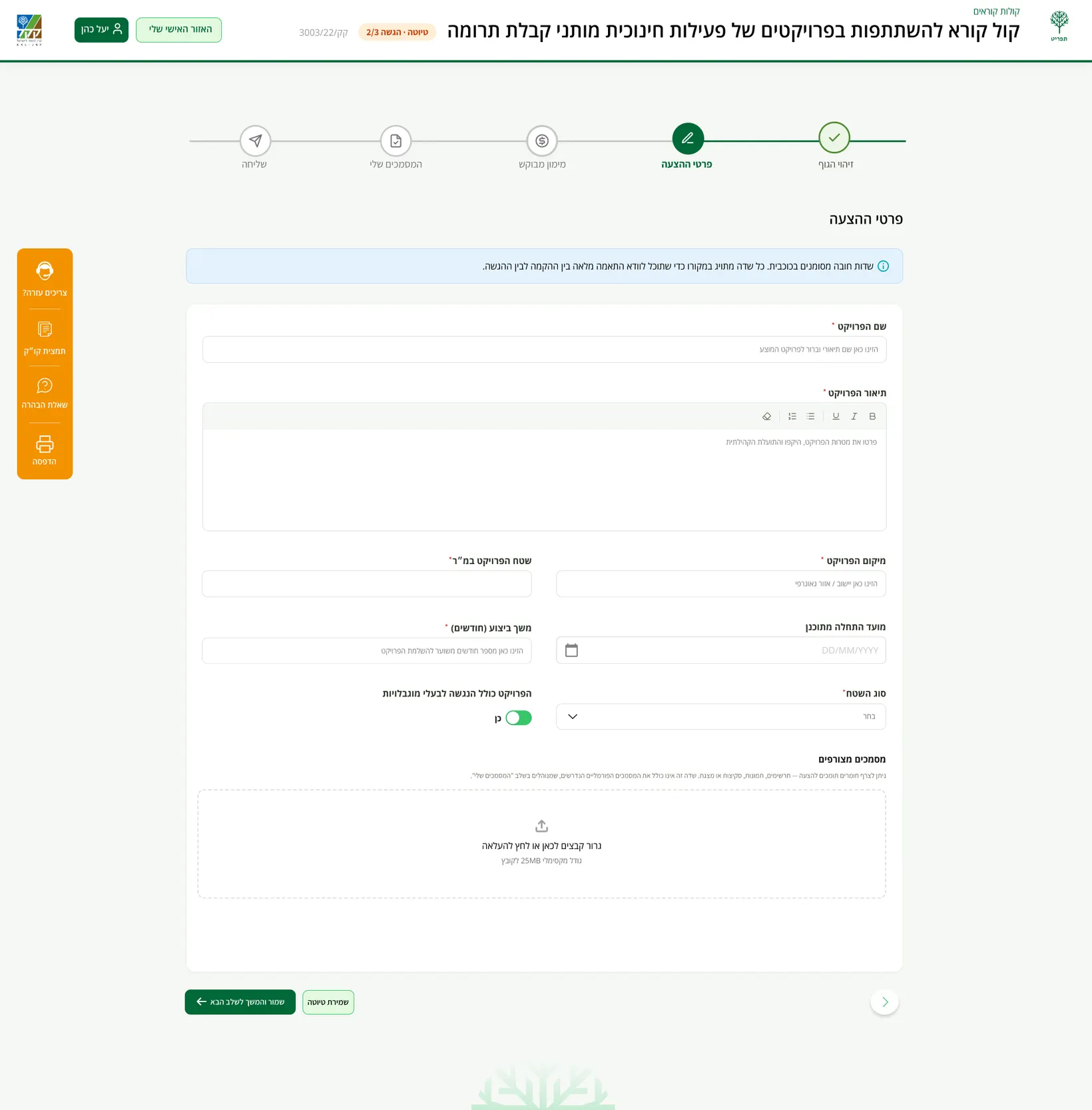
Guided five-step submission wizard
Guided submission - A five step process with draft saving and real time validation.
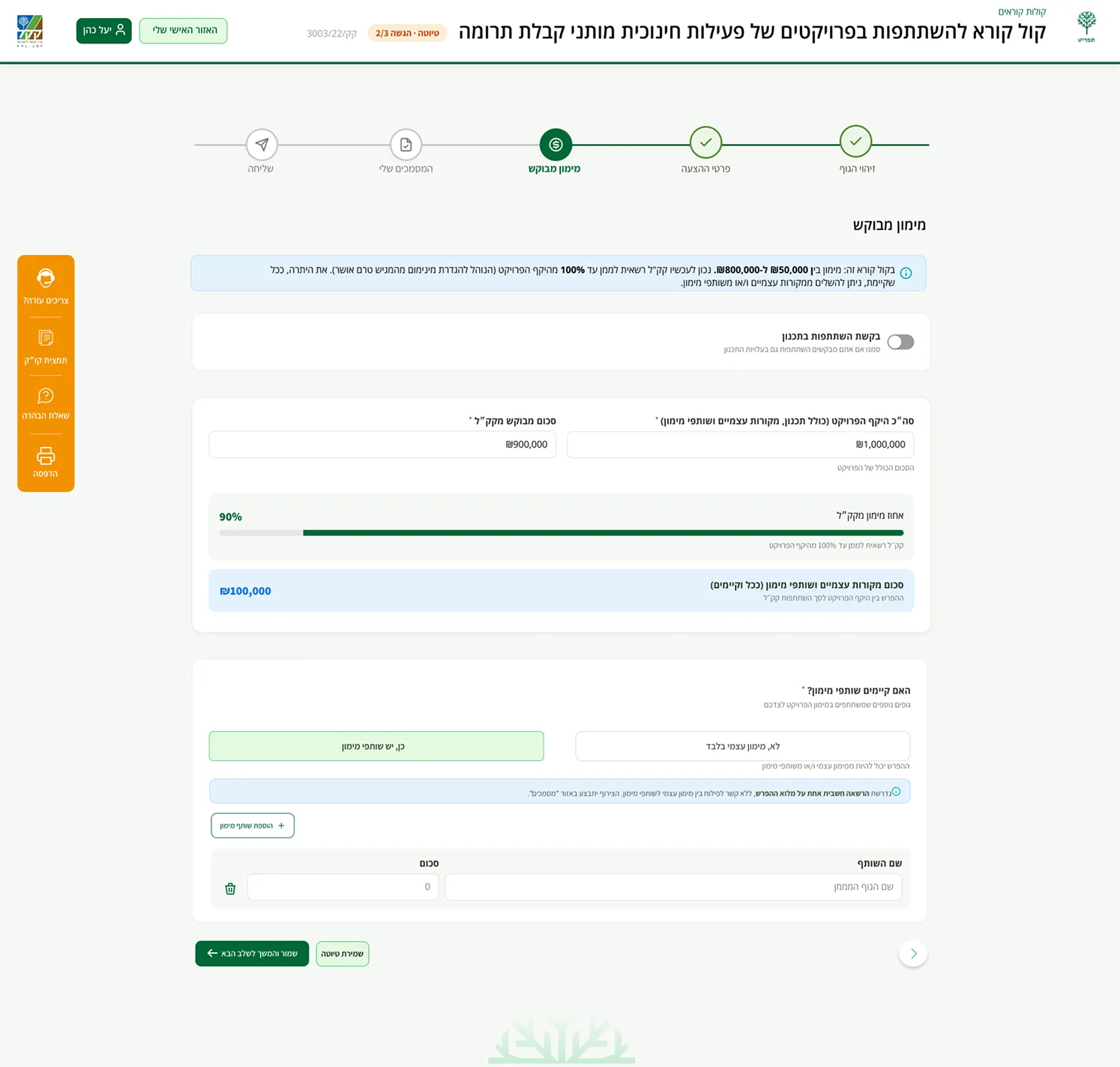
Requested funding step with live validation against the call's budget rules
Requested funding - Funding amounts are checked in real time against the rules defined for the call.
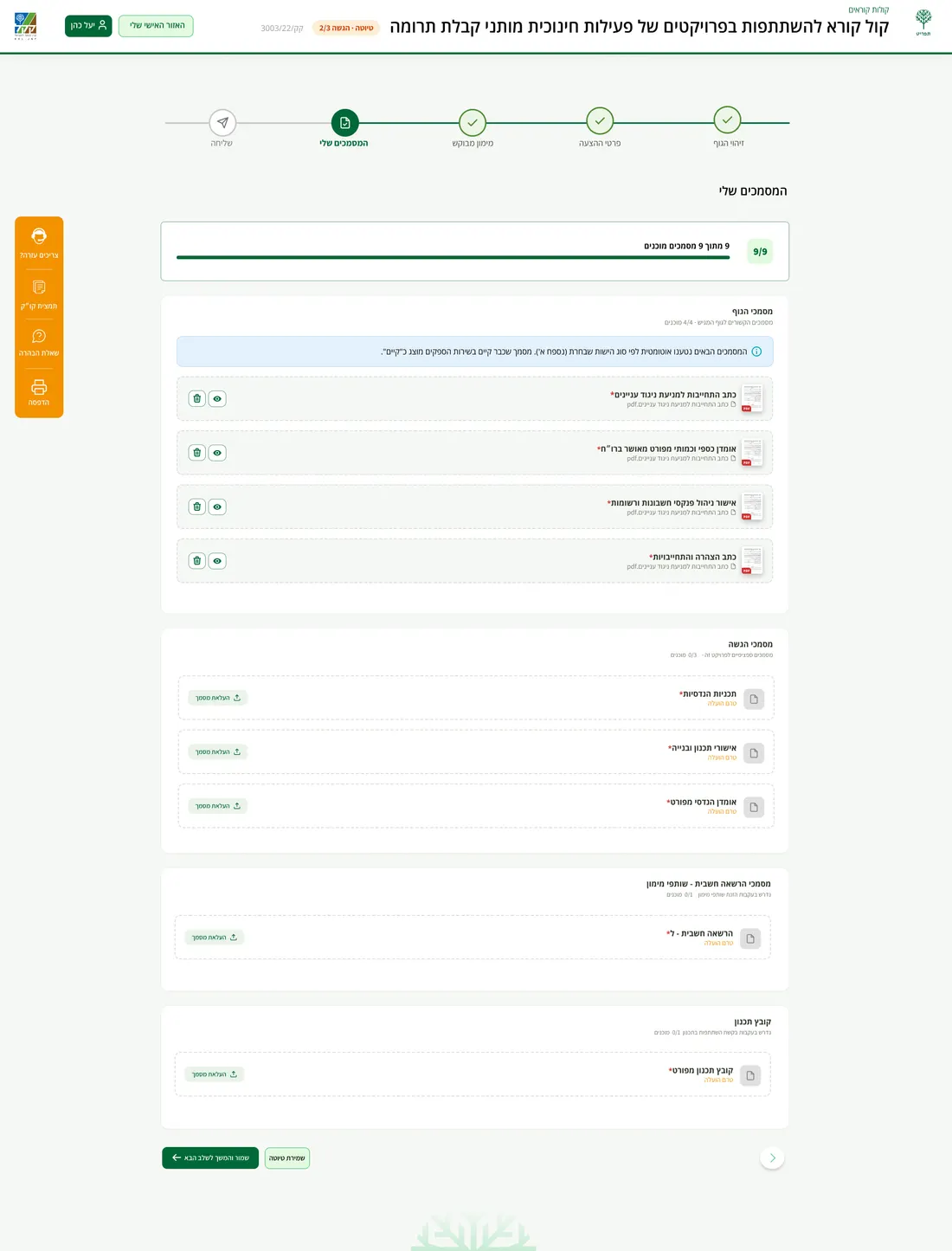
My Documents: required documents by entity type
My Documents - Required documents are shown based on the applicant’s entity type, with options to upload, replace or remove files throughout the submission.
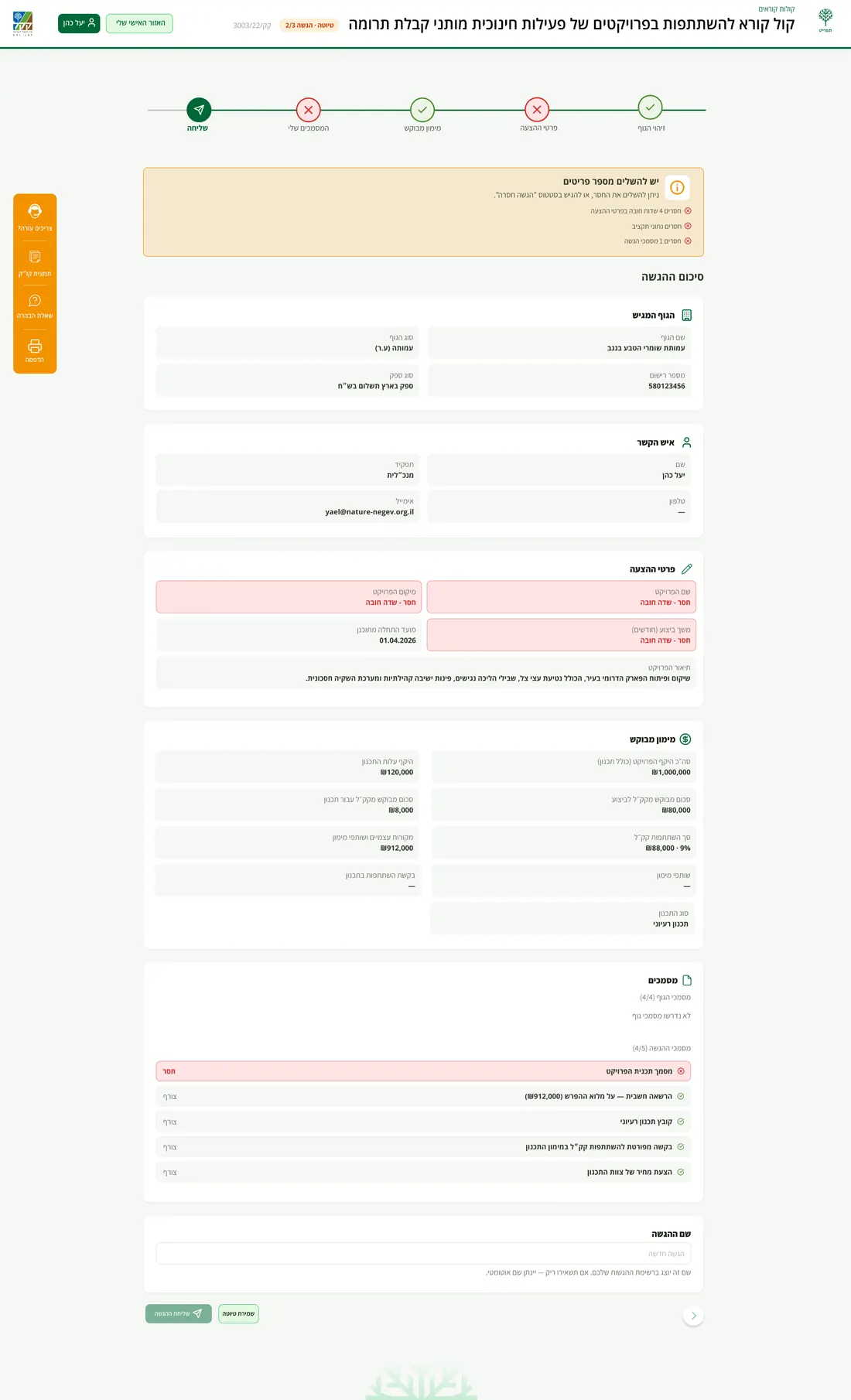
Summary before submitting
Before submitting - A clear summary highlights anything that still needs attention.
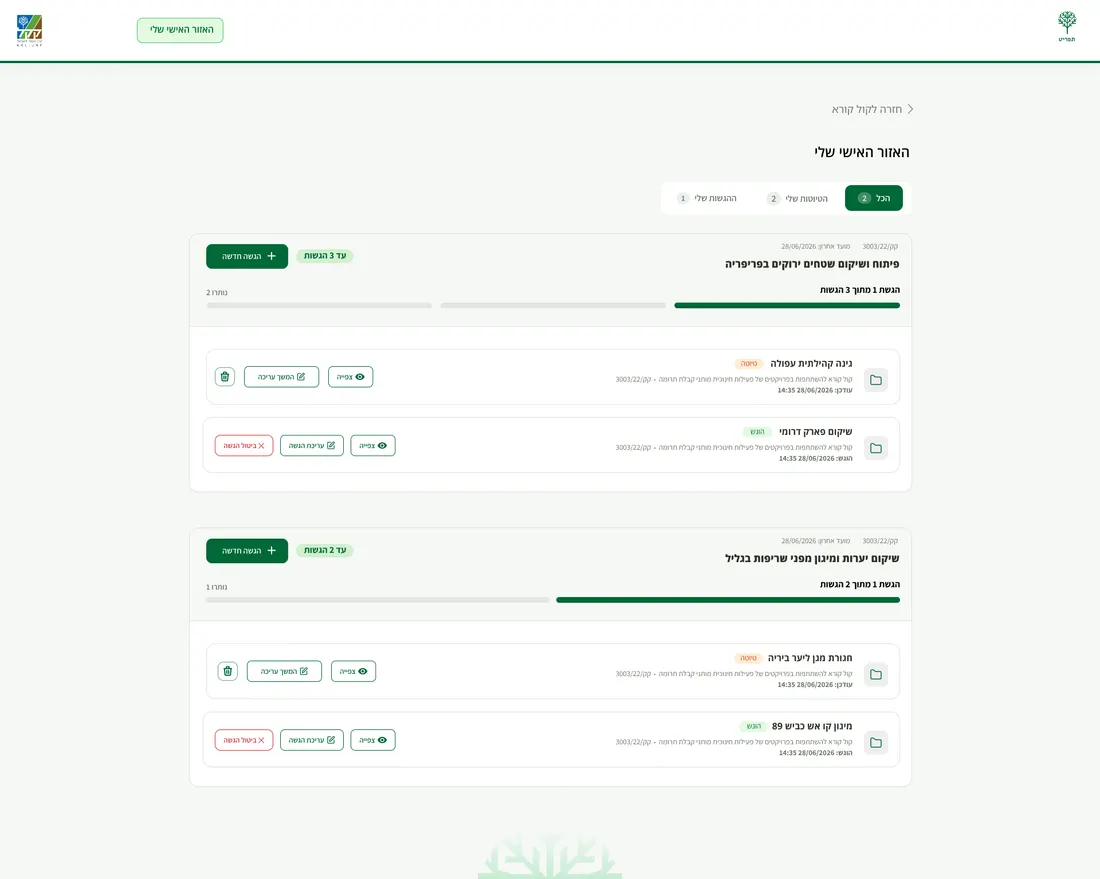
My Submissions list with statuses
My Submissions - Manage drafts and submissions, track their status, and edit or withdraw when available.

Backstage — the KKL team's workspace

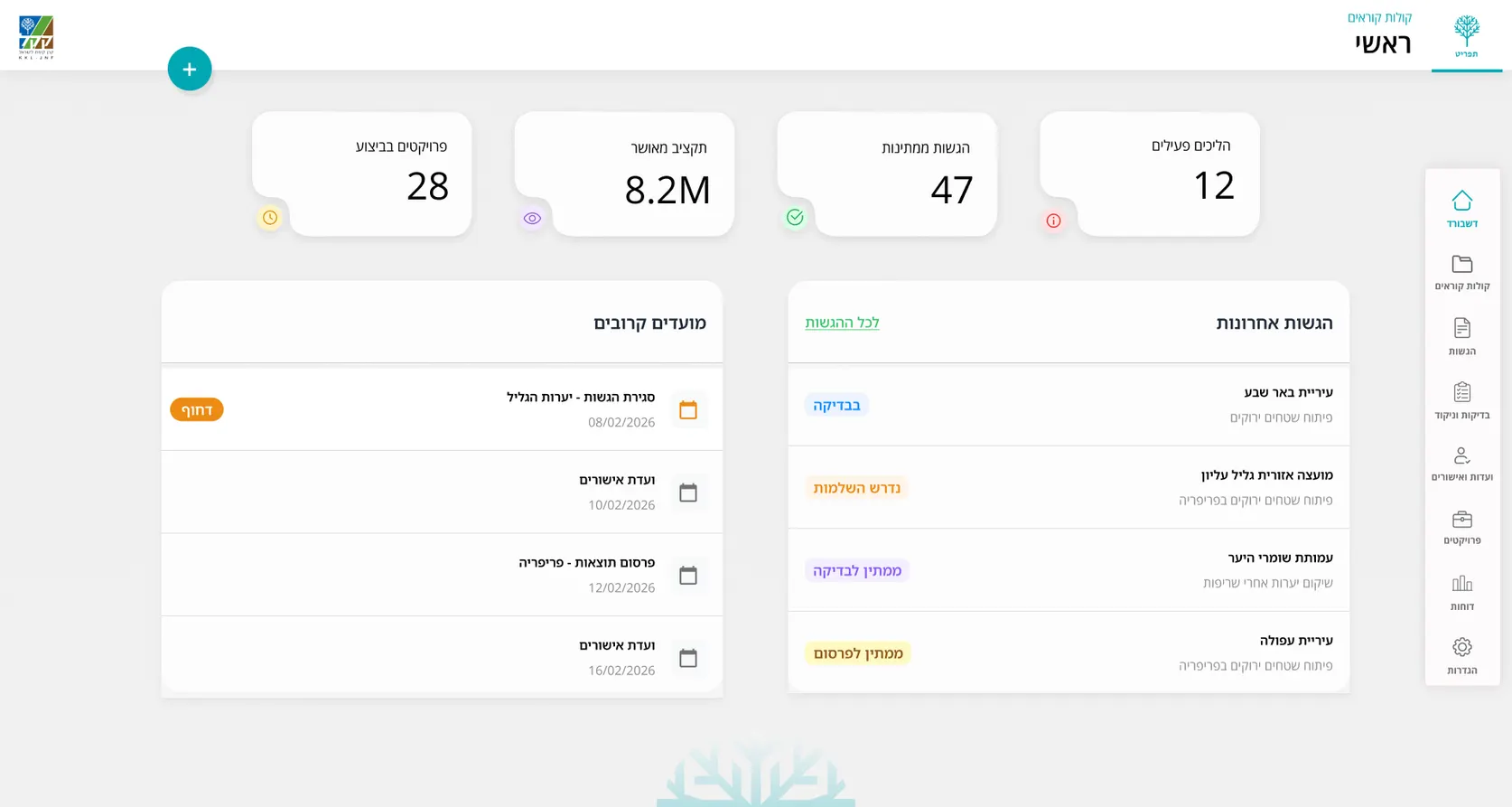
Backstage dashboard: active calls, submissions needing attention, deadlines
Dashboard - An overview of active calls, submissions that need attention, open clarification questions and upcoming deadlines.
Calls table with search, status filters and budgets
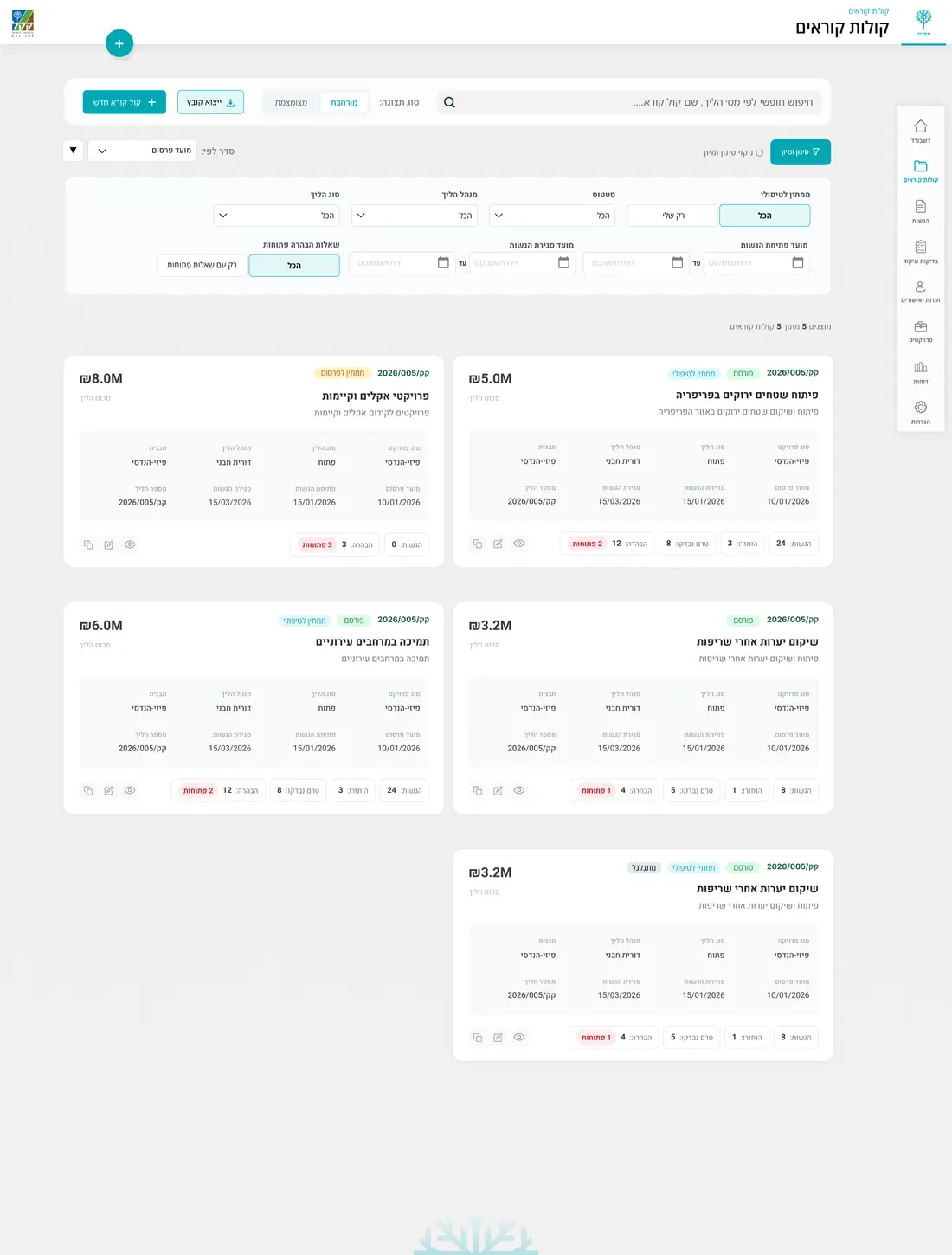
Calls workspace - Search, filter and sort calls by status, dates, process manager and other key details.
Call management: KPIs, recent submissions, upcoming dates
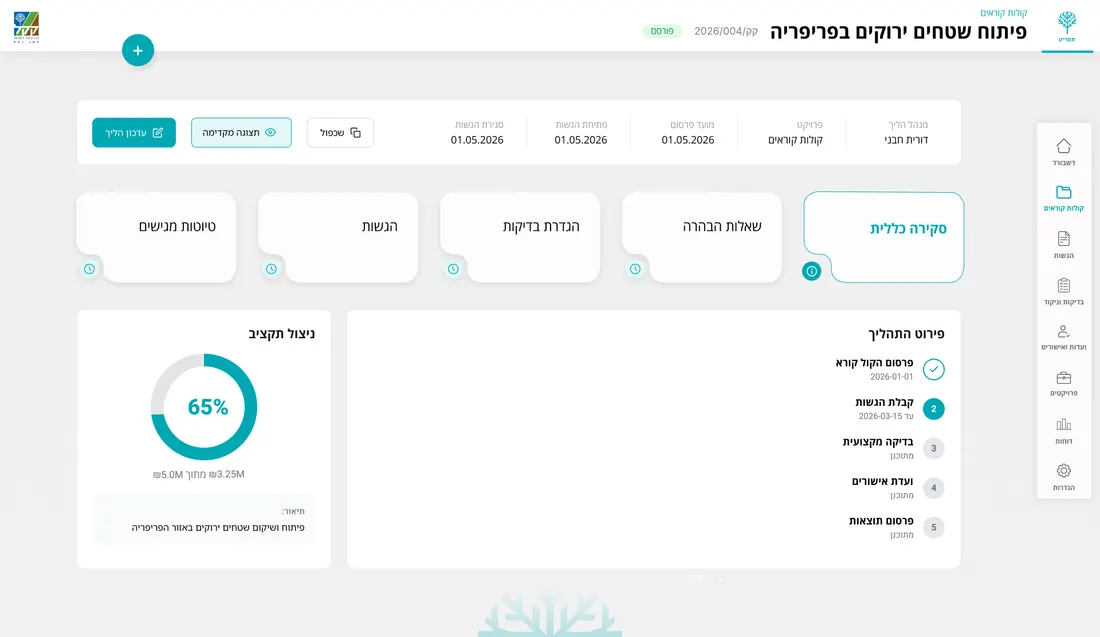
Call management - track submissions and statuses, handle clarification questions, manage reviews, follow pending actions and monitor key dates and budgets.
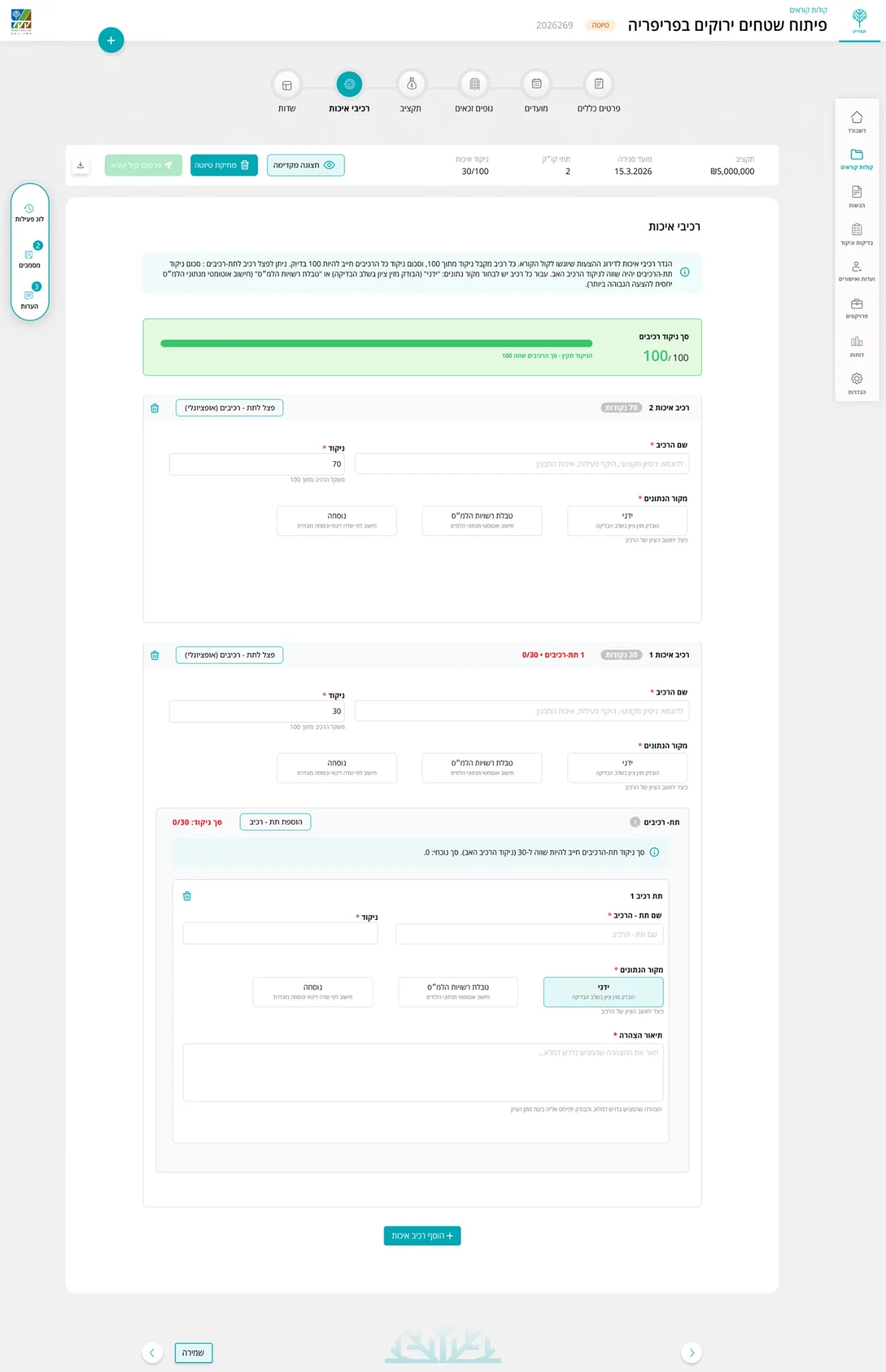
Call builder: general details, templates
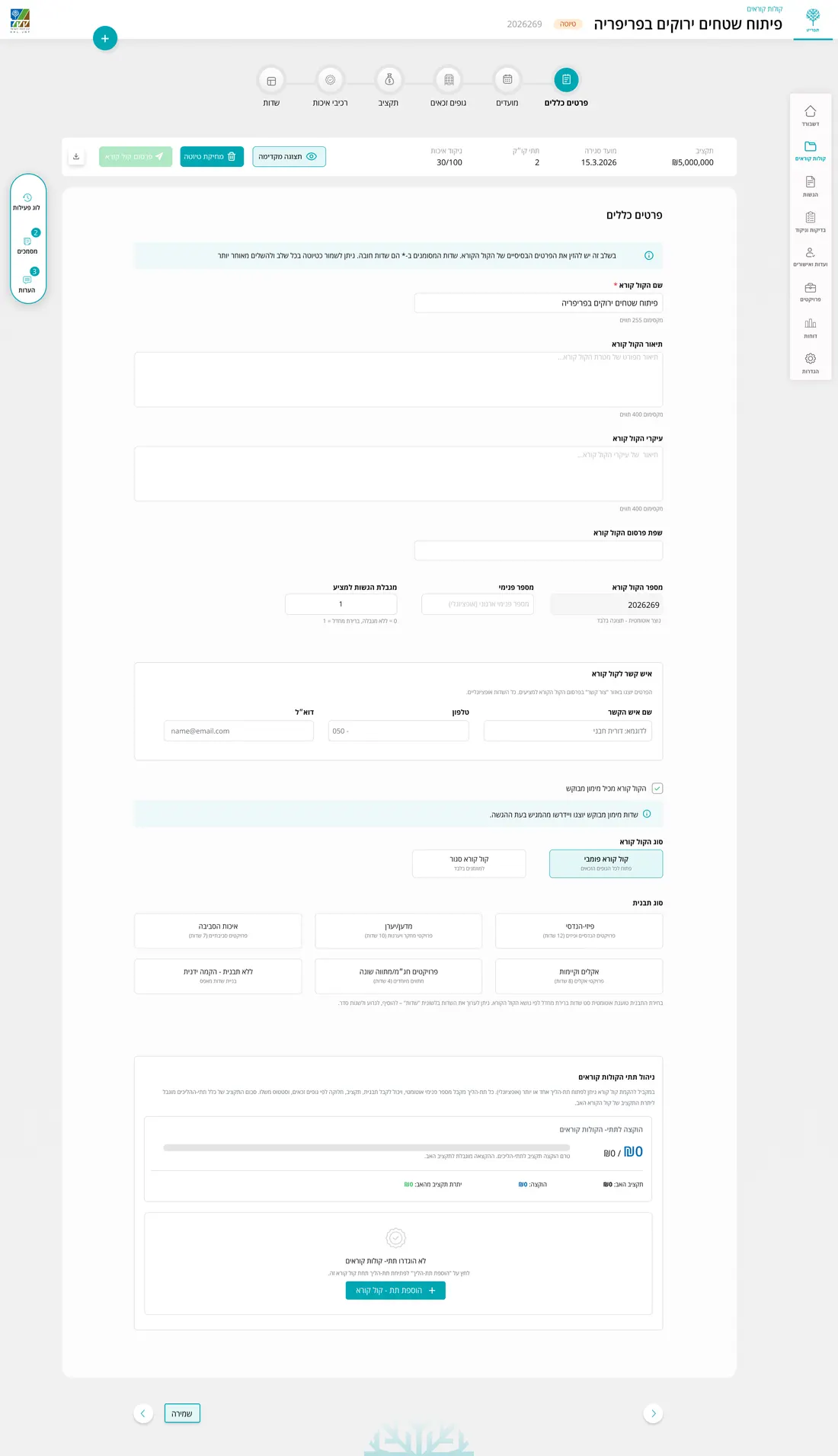
Call builder - Define the call’s general details, type, template, dates and overall structure.
Budget setup: funding models and limits
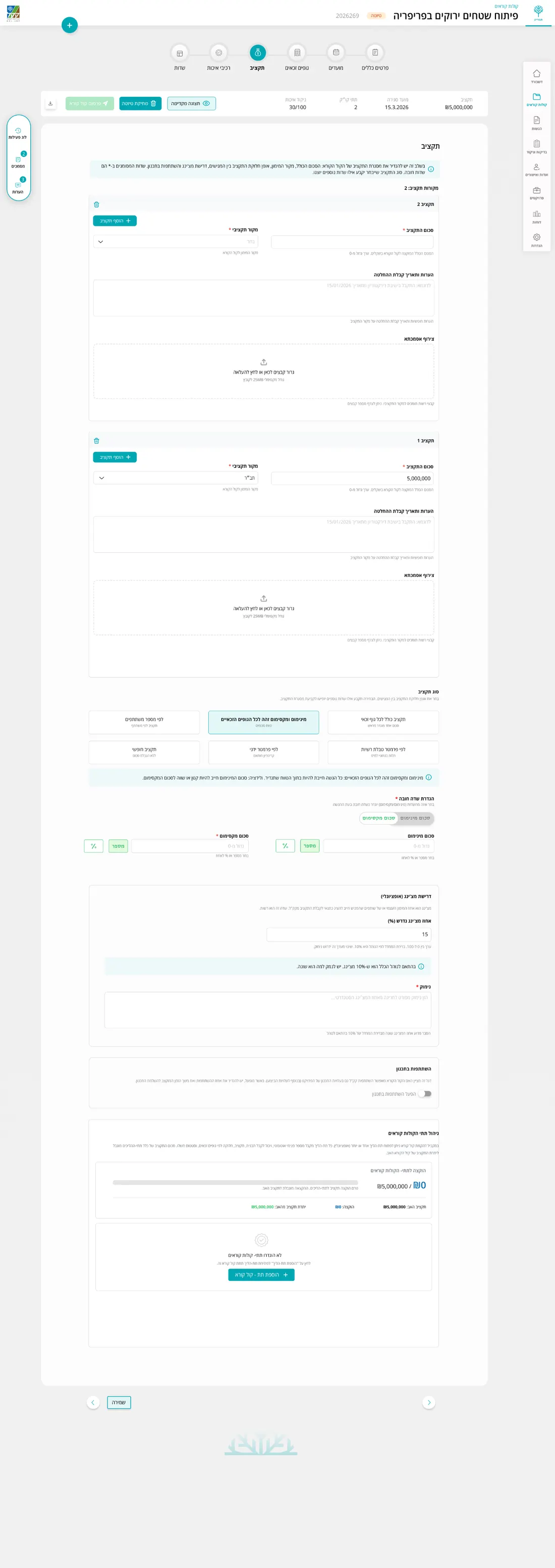
Budget setup - Set funding models, limits, funding percentages and budget rules for each call.
Evaluation criteria with weights and data sources
Evaluation criteria - Define how proposals will be evaluated, including criteria, sub-criteria, scoring weights and data sources.
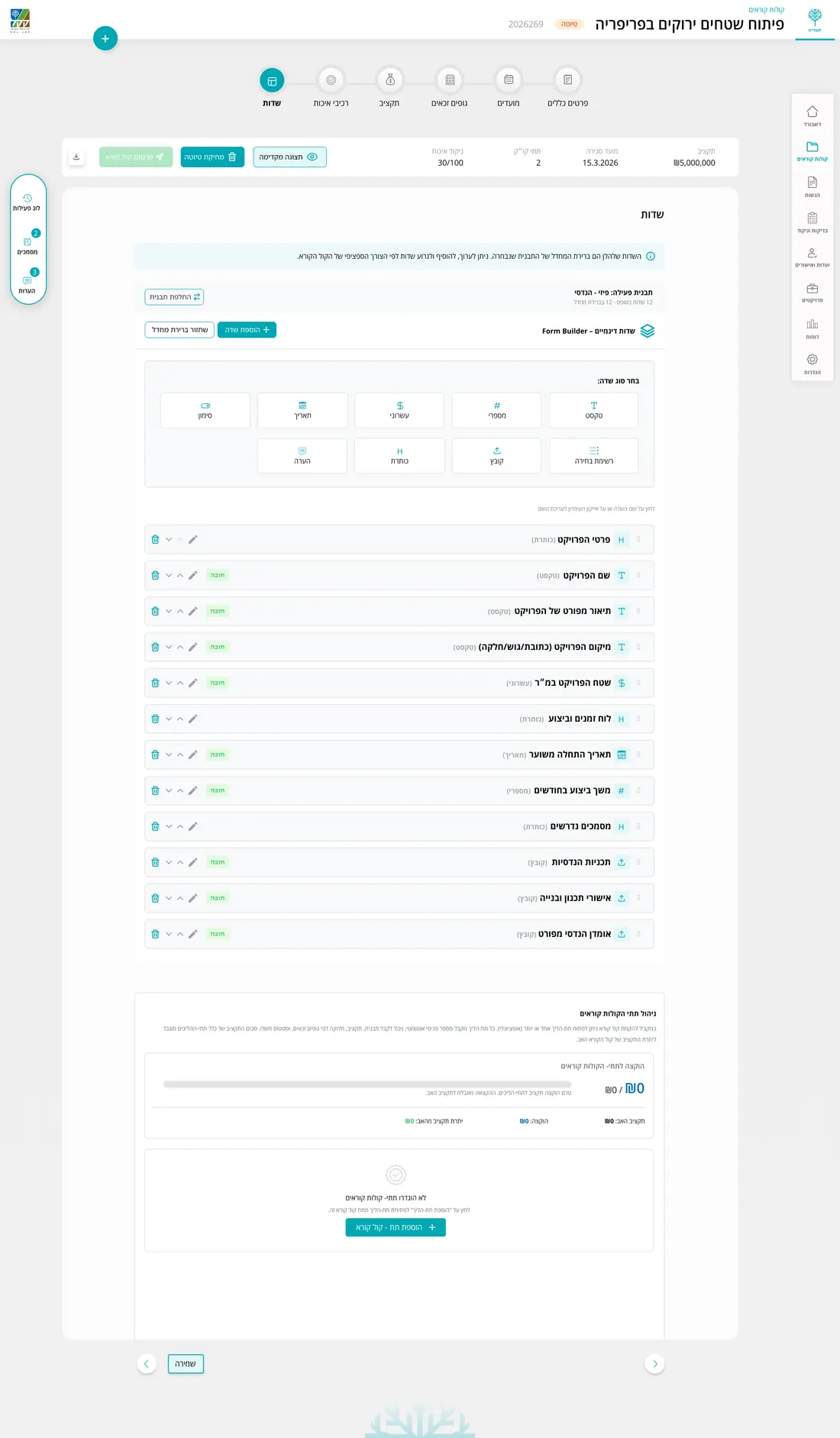
Form builder: stages, fields and requirements
Form Builder - Build the submission form by defining its stages, fields, requirements and order.
07 / Design system

One design system for both sides

The platform uses one shared component library across the KKL team and applicant experiences. Forms, tables, steppers, statuses and actions follow the same patterns, while adapting to the different needs of each side.

Every component was designed for RTL and includes the states needed for a complex system. From validation and errors to disabled and read only states.

Palette

Green · primary Green · bright Green · primary Surface Ink Success tint Error Action

Components

Primary Secondary Clarification Ghost
Published Draft In review Rejected

Typography & scale

Open Sans, Assistant
Hebrew & Latin · headings, body and data
3420161413 · caption

Field states

580123456
580123456
Invalid number
Locked field

Iconography

8px radius · 1.7 stroke
08 / Impact

From separate steps to one connected process

  • 100%

    Digital submission flow - from registration and drafts to final submission.

  • 1

    Definition drives both sides - what KKL defines becomes what applicants see and submit.

  • 10+

    Legal entity types supported through one adaptive submission flow.

  • Every

    Change is tracked, creating a clear history of updates, actions and statuses throughout the process.

The platform brings a complex process into one structured system. Applicants get clearer guidance and immediate feedback, while KKL teams can create and manage new calls through configurable rules rather than rebuilding the process each time.

09 / Reflection

What this project taught me

What worked well

Understanding the process in depth before designing. The different entity types, documents, budget rules and dependencies helped me make better UX decisions and build flows that could support different types of calls without redesigning them each time.

What I would explore next

I would expand user testing with real applicants across different entity types, using their feedback to further refine the language, guidance and more complex submission scenarios.